1.
Intro
2.
Final Exhibits, Version 1
Loading Exhibits
Stickers
Resizing Exhibits
Pagination
Export Options
Locked PDFs
Damaged PDFs
Activation & Deactivation
Troubleshooting
Error "on Send" or "a Receive"
Could not create SSL/TLS Secure channel
Proxy Authentication Required
I Can't Load My Exhibits...
Loading Only First Page
Installation Incomplete
Clicking Browse Displays ONLY Desktop
Installation Error Code 2502
Internal Error, During Activation
Final Exhibits Won't Open, or Won't Let Me Drag a Sticker
Final Exhibits Freezes After Clicking Save Exhibits
Error Writing to File
Windows cannot access the specified device
3.
Final Exhibits, Version 2
Install and Activate
Interface Overview
Load Your Exhibits
Loading Your Exhibits
Create PDFs from Images
Create and Edit Slipsheets
Shrink Oversized PDFs
Load Every Page
Remove Loaded Exhibits
Sticker Your Exhibits
Choose a Sticker Template
Edit the Text
Drag and Drop your sticker
Resizing Your Placed Sticker
Move / Rotate / Edit Your Stickers
Edits to Individual Stickers
See Through Stickers
Advanced Sticker Editing
XML Based Stickers
Accessing the Editable Stickers
The Sticker Editor
Text Editor: Anatomy of a Sticker File
Text Editor: Change font Size and more
Resize Pages
Add Page Numbers
Choose a Pagination Template
Edit the Pagination Text
Drag and Drop your Page Number
Move / Rotate / Edit Your Page Number
Edits to Individual Page Numbers
Add Misc. Text
What is Branding
Choose a Branding Template
Edit the Branding Text
Drag and Drop your Branding
Move / Rotate / Edit Your Branding
Edits to Individual Branding
Cover Unwanted Text
What is Correction Tape
Drag and Drop your correction tape
Edits to individual Correction Tape
Save Your Exhibits
Save Options
Split at Stamped Locations
Change PDF Version Saved
Save & Reuse Your Settings (Case Profiles)
Export Options
Managing Your License & Subscription
Activating Your License
Deactivating Your License
Offline Activation and Deactivation
Cancelling Your Subscription or Updating Payment Information
Credit Card Processing Questions
Frequently Asked Questions
Troubleshooting
Internal Error, During Activation
Final Exhibits Won't Open, or Won't Let Me Drag a Sticker
4.
Highlight+, Version 1
Installing and Activating Highlight+
Where are the Highlight+ tools?
Creating Highlights
Changing Highlight Colors
Save Default Color and Size
"Printing" Your Highlight+ Presentations
Change Color Utility
Using PowerPoint 2016?
Callout Helpers
Callouts: Set and Reset Defaults
Deconstructing Callouts
Managing Your License & Subscription
Activating Your License
Deactivating Your License
Cancelling Your Subscription or Updating Payment Information
Frequently Asked Questions
Credit Card Processing Questions
5.
Contact
Clear History
Back to DoneBy5.com
Intro
Highlight+, Version 1
Changing Highlight Colors
Changing Highlight Colors
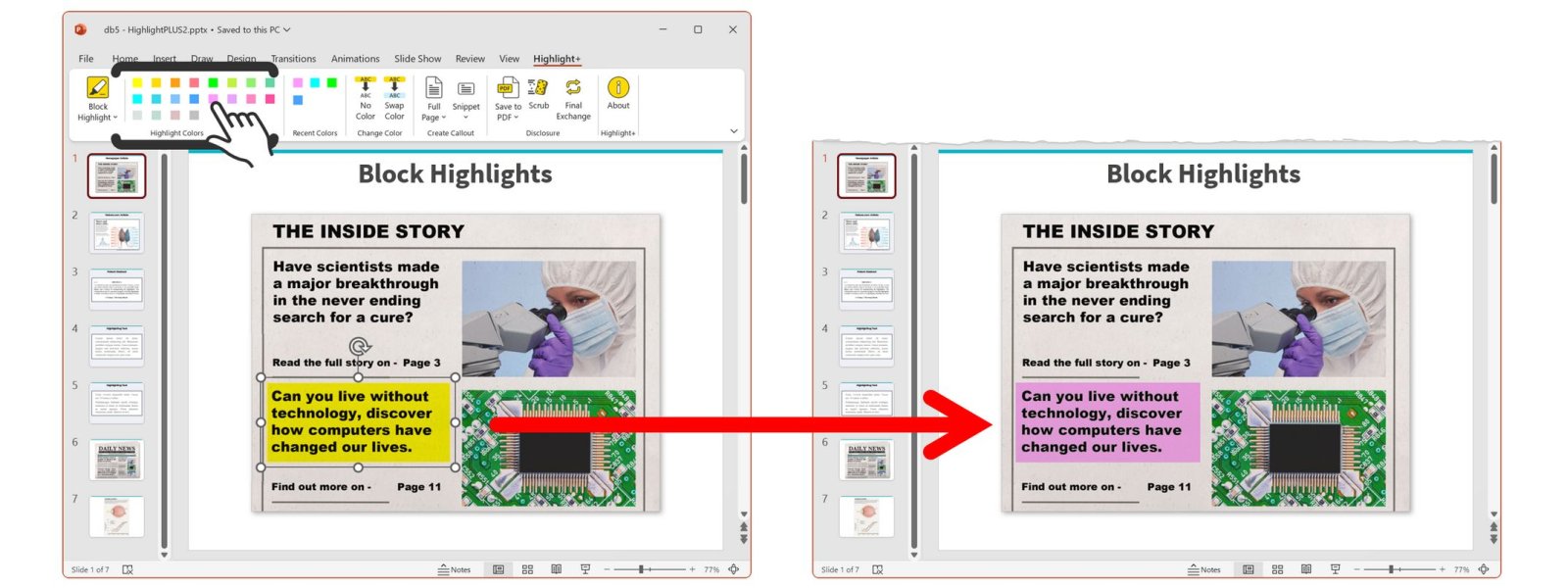
To change the color, select the highlight object and
click any of the Highlight Colors tiles.
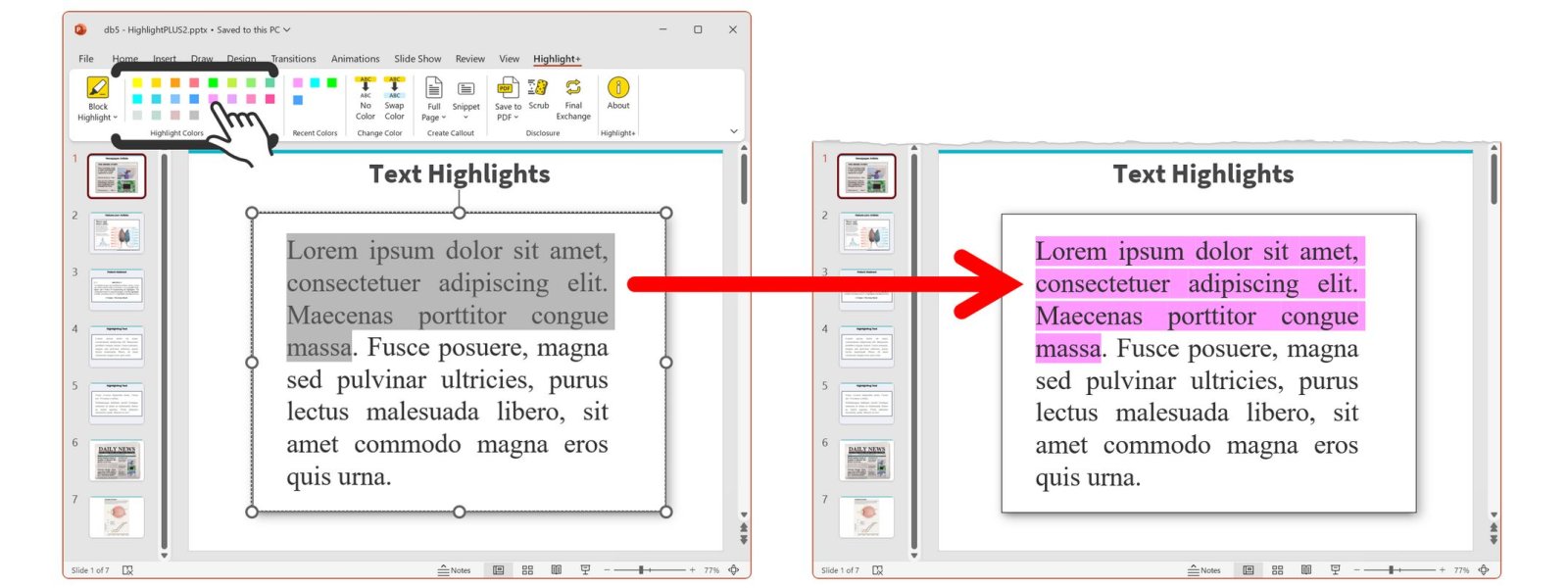
The same tiles will
add or change highlights to selected text,
as well.
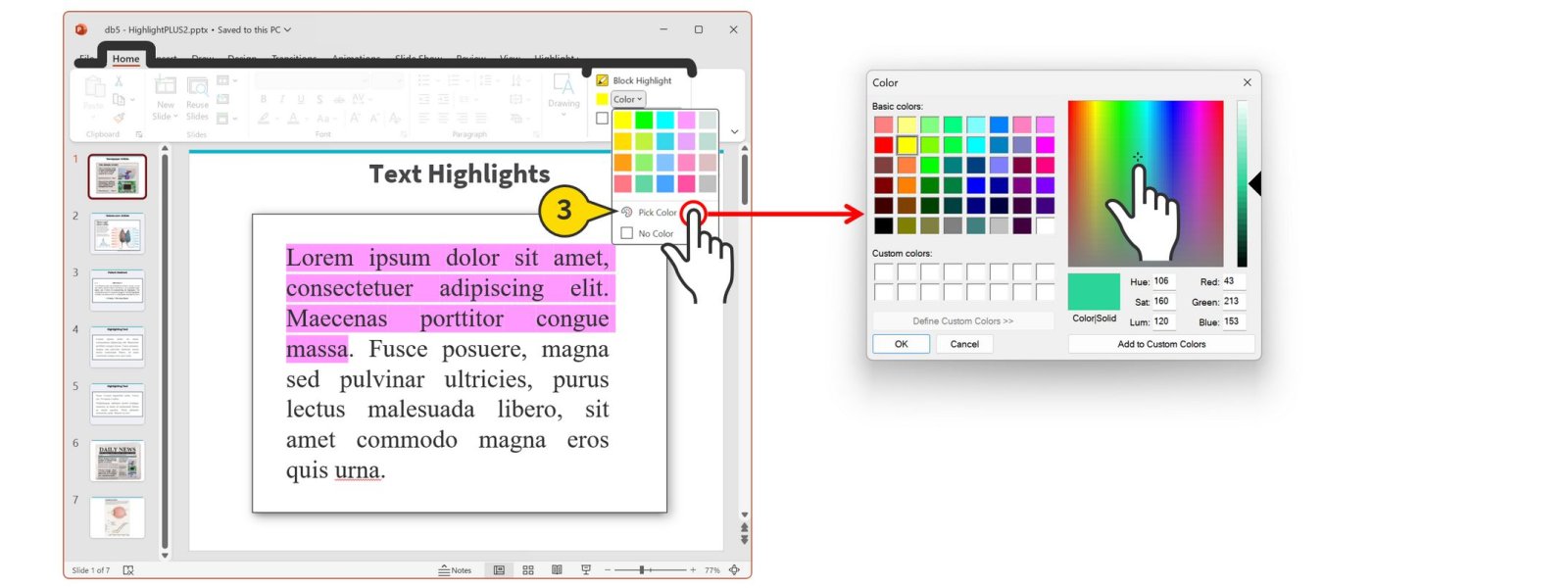
Need More Colors? Use the
Pick Color
feature in the
Highlight+ group, under the “Home” tab
.