Windows cannot access the specified device
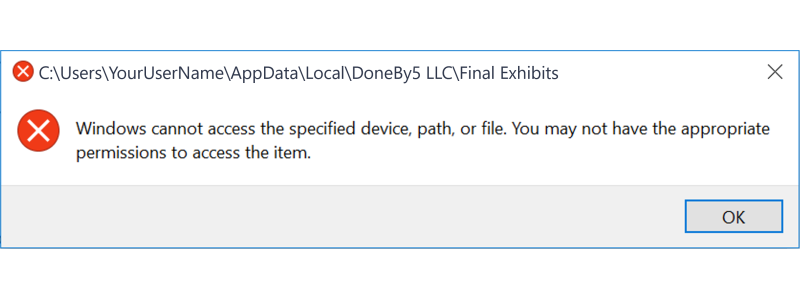 If you're getting the error above when trying to launch Final Exhibits, it's likely that you're anti-virus software is blocking it from opening.
The solution is to tell your anti-virus software that Final Exhibits is known software and add it to its list of safe software. The list of safe software are sometimes referred to as a "Whitelist," "Allowlist," "Exceptions," or "Exclusions."
The details of how to do this are different for all anti-virus software, but e.g. with Norton anti-virus:
- You have to add the location of the folder, where Final Exhibits resides, to Norton's "exclusion list."
- Go to Settings > Antivirus > Scans and Risks.
- Under "Items to Exclude from Scans", add the location of Final Exhibits which is below,
- C:\Users\NAME\AppData\Local\DoneBy5 LLC\Final Exhibits (replacing "NAME" with the username you use for Windows)
- Restart the computer.