Edit the Text
Edit the text on exhibit sticker template
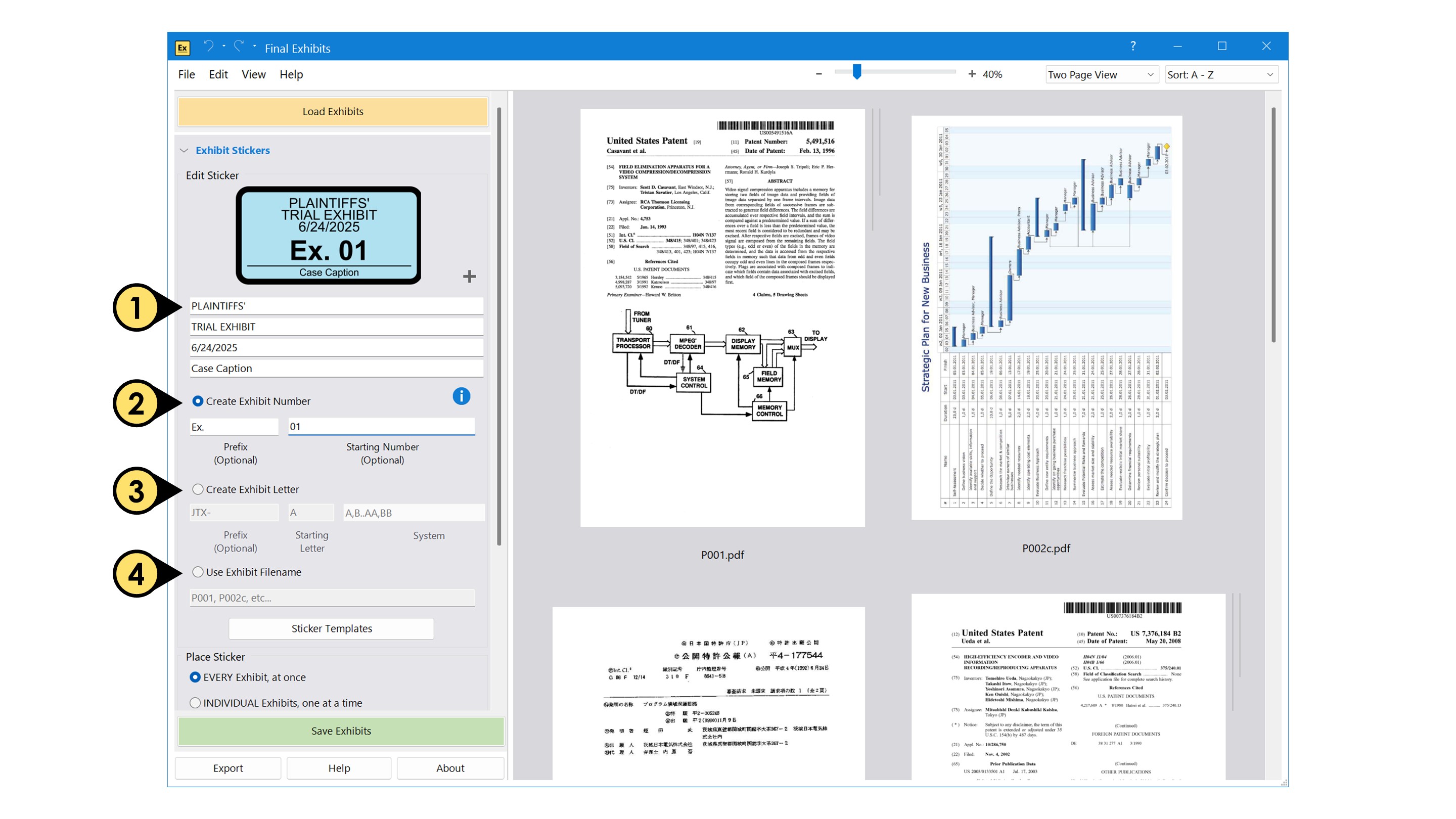
- Change the case caption and sticker title by updating the text fields.
Select which exhibit numbering scheme you want to use:
- Create Exhibit Numbers: Create a custom number using a prefix or a starting number.
- Create Exhibit Letters: Create a custom letter using a prefix or a starting letter and selecting an indexing system.
- Use Exhibit Filename: Use the filename of the PDF as the exhibit number.
- Create an Exhibit Suffix: Enable the checkbox to add a suffix to your exhibit designation.
Filename Options
- Click the Filename Options button to reveal the options dialogue panel.
This feature allows you to use a specific portion of the filename, rather than always using the entire filename (without extension). Choose from the options below to control exactly which characters are included.
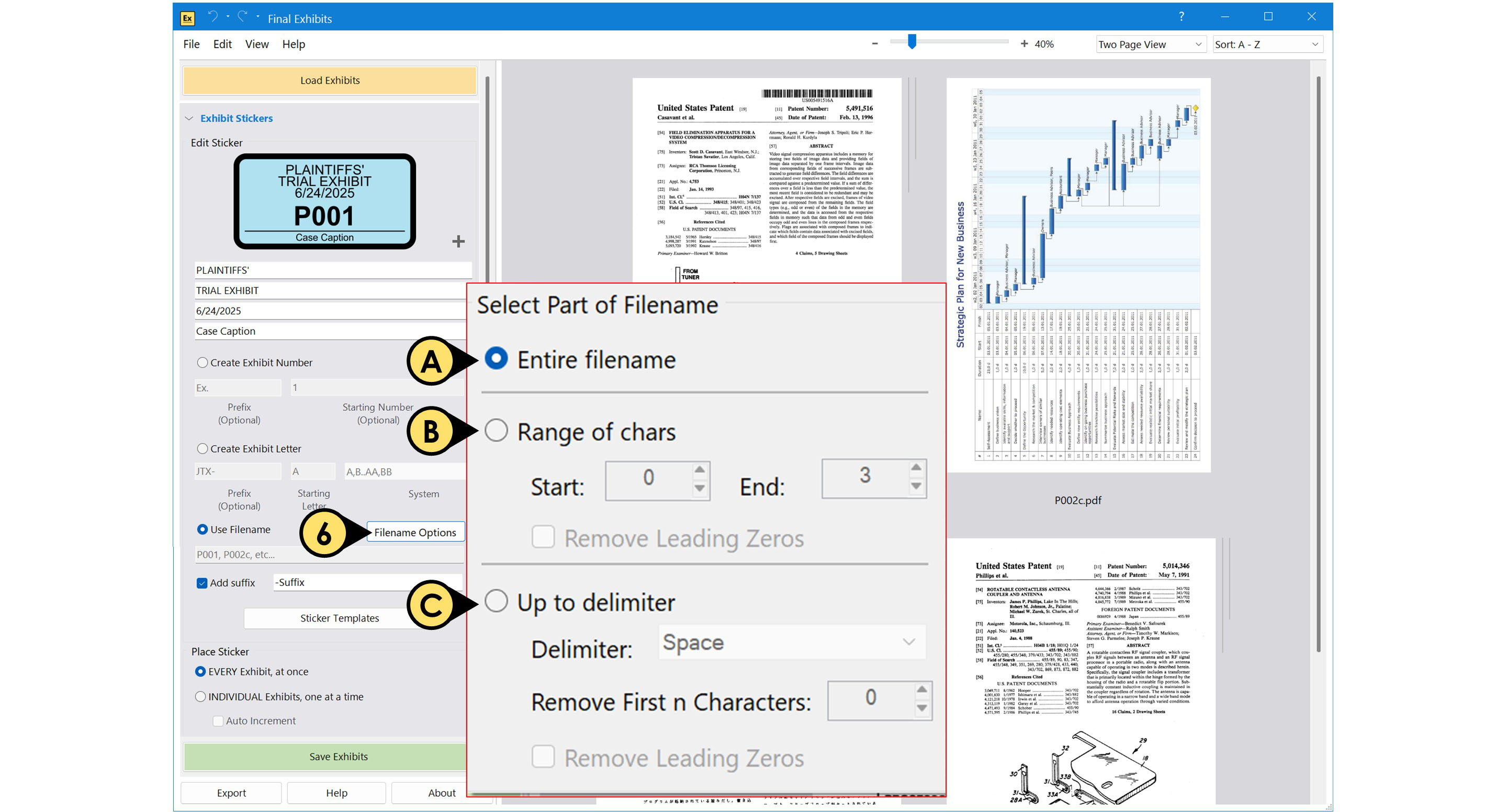
A. Entire filename
- Uses the full filename (excluding the file extension).
B. Range of characters
- Extracts a specific set of characters from the filename based on the Start and End positions you define.
- Remove Leading Zeros removes any zeros at the beginning of the extracted text.
C. Up to delimiter
- Uses the filename content up to a selected delimiter (such as a space, dash, or underscore).
- Remove First n Characters trims a specified number of characters from the beginning of the result.
- Remove Leading Zeros removes any zeros at the start of the extracted portion.