Loading Your Exhibits
There are 3 ways to load your exhibits -- First Way:
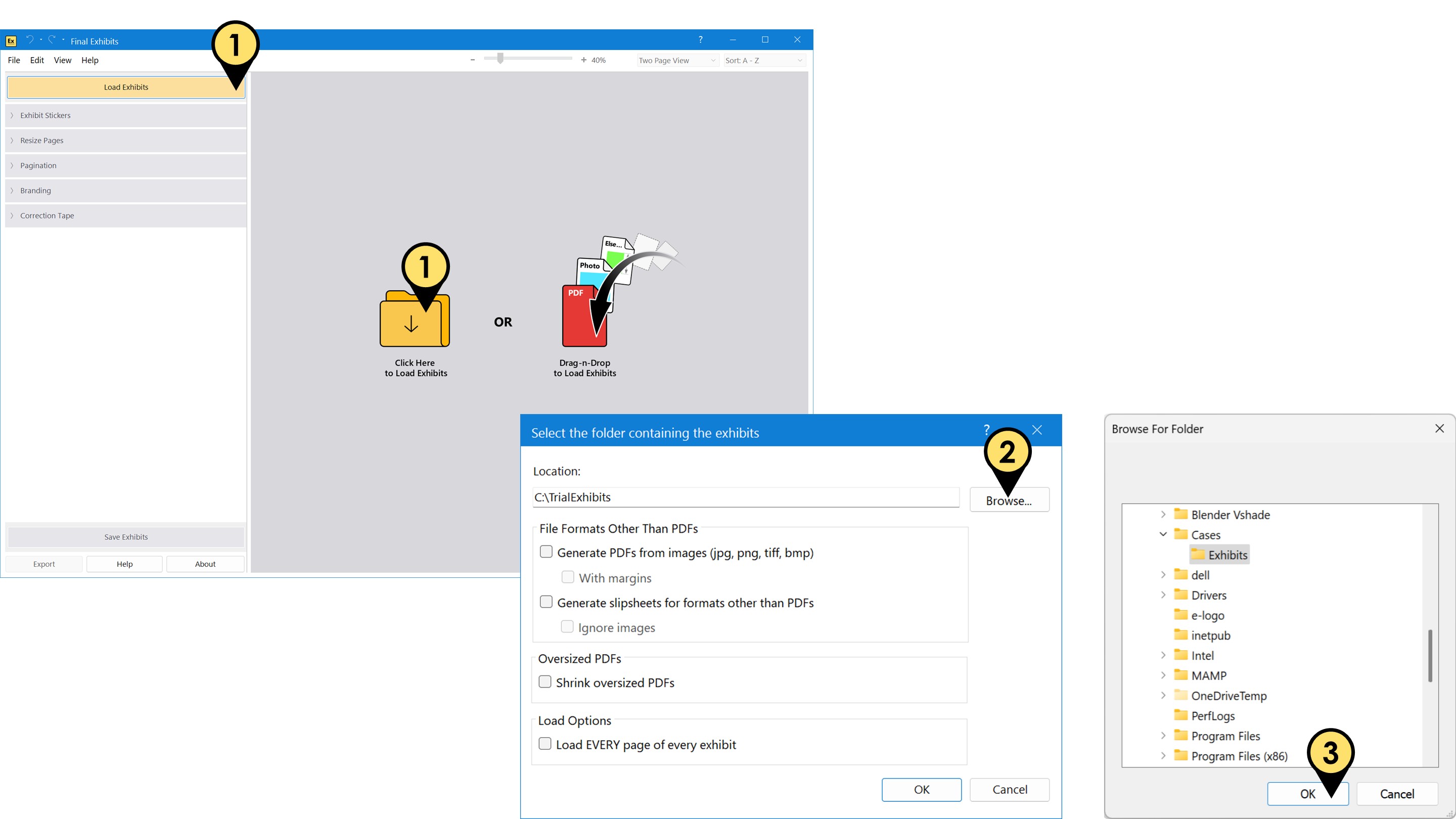
- Click the "Load Exhibits" button or click the yellow folder image in the middle of the Final Exhibits window.
- Click the "Browse" button to search for the folder containing your exhibits.
- Select your folder and click "OK"
This way is strongly suggested as it displays the options for loading different types of exhibits. The other methods below use the settings established here.
Second Way:
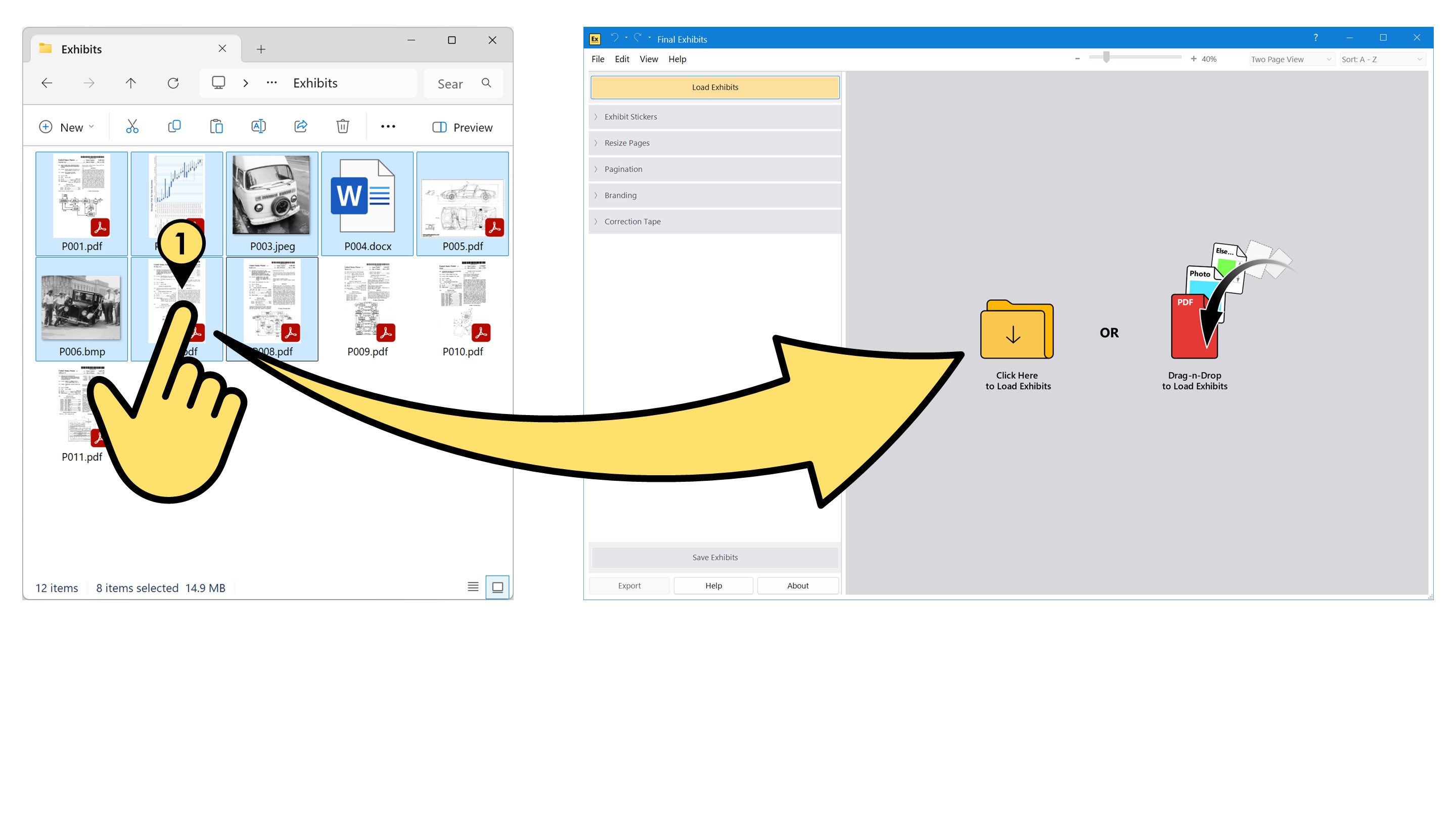
- Drag-and-Drop one or multiple exhibit files directly from your File Explorer window, onto the open Final Exhibits application.
Third Way:
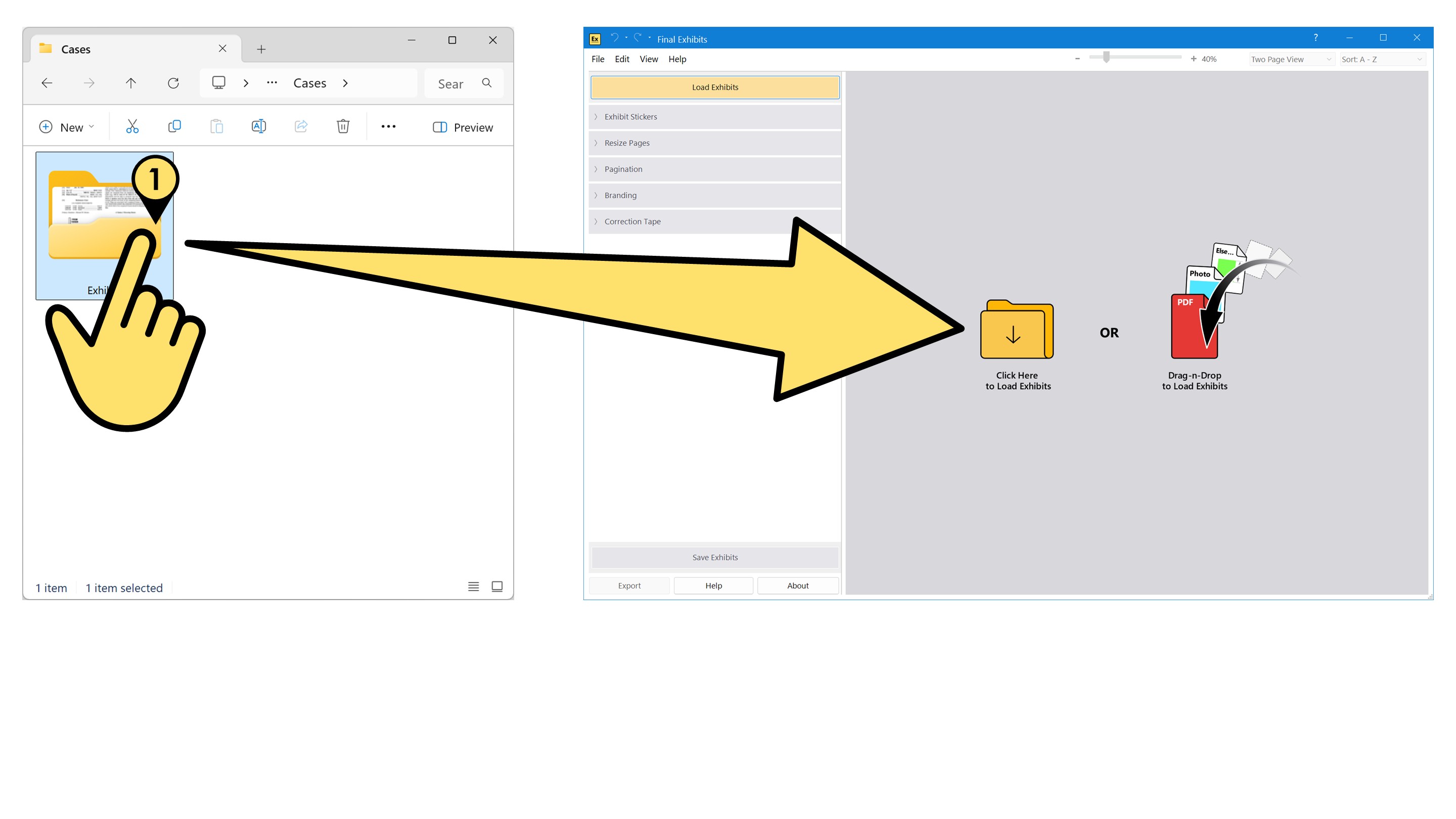
- Similarly Drag-and-Drop an entire folder of exhibits onto the open Final Exhibits application.
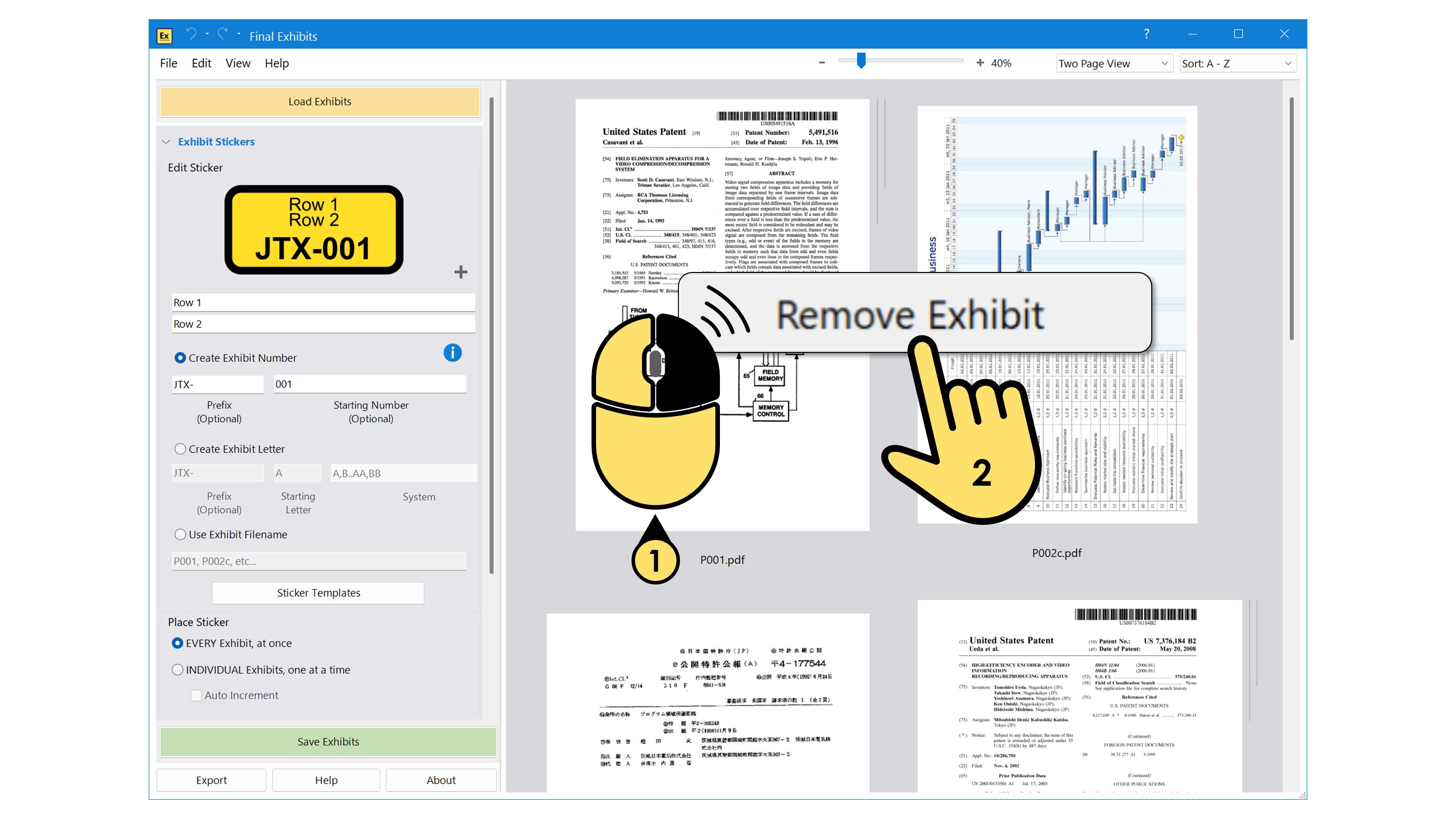
In Final Exhibits 2, you can now remove loaded exhibits, individually:
To remove a loaded exhibit:
- Right-Click your mouse over the document you want to remove.
- Press the resulting "Remove Exhibit" button that pops up. The document will be removed and exhibits resorted.