Edits to individual Correction Tape
Just like the other stamps in Final Exhibits 2:
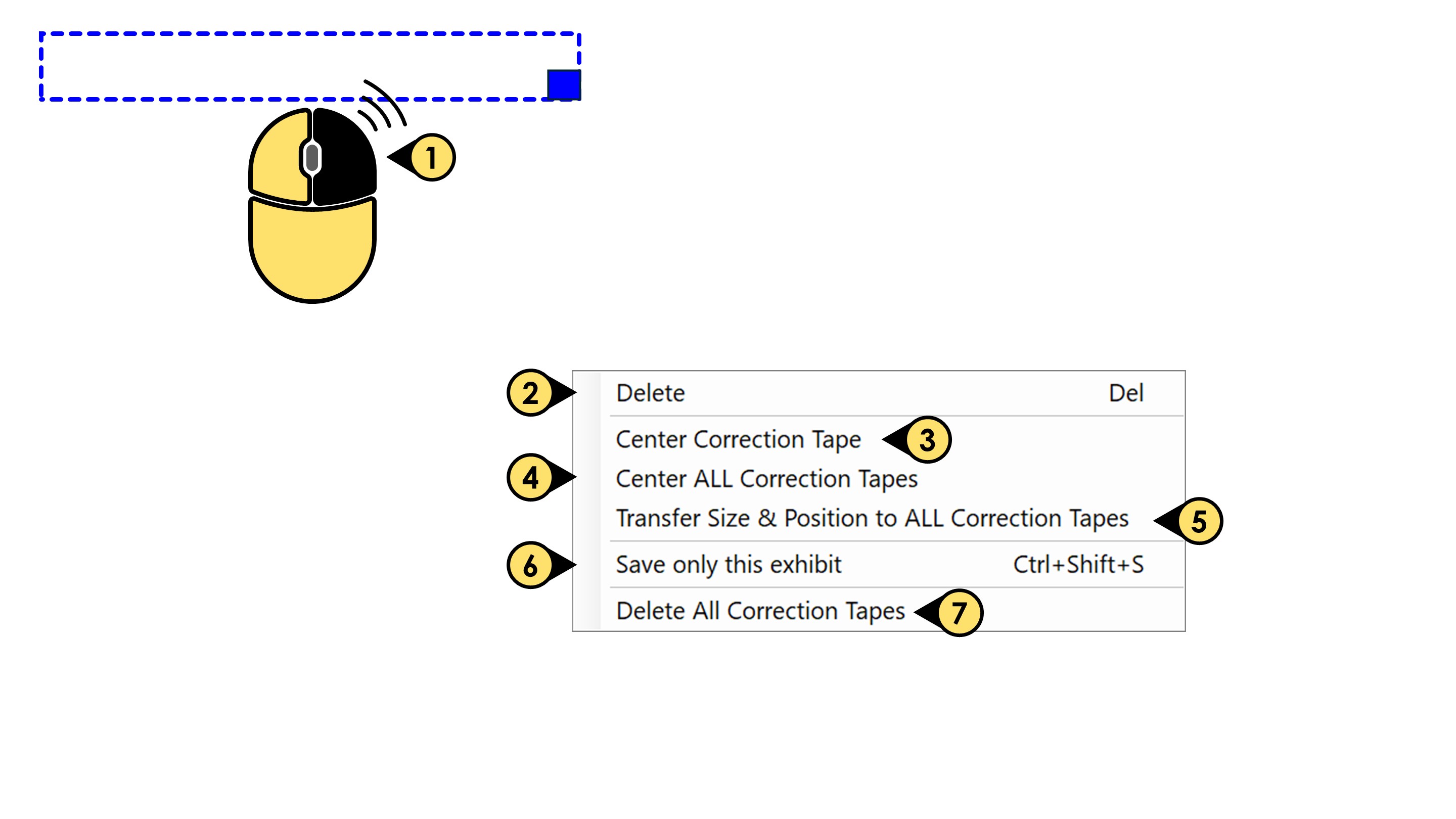
- Select a correction and right-click your mouse, to reveal a series of options:
- Click Delete to remove that tape from the document.
- Click Center Correction Tape to center that tape on that specific exhibit.
- Click Center ALL Correction Tape to center every placed tape on every exhibit, at once.
- Using a selected tape as reference, Click Transfer Size & Position to ALL Tapes to conform the other placed tapes to the same size and position as your reference tape.
- Click Save only this exhibit to save ONLY THAT one stamped exhibit, even if you have many others loaded and stamped.
- Click Delete All Correction Tape to remove your placed tapes and start over.